Available for projects

Available for projects

Est. 2014
Shape
Shape

FFXIV Reshade

Client:

Personal

Client:

Personal

Client:

Personal

Role:

Designer, Systems Tech

Role:

Designer, Systems Tech

Role:

Designer, Systems Tech

Purpose:

Game Design

Purpose:

Game Design

Purpose:

Game Design

Year:

2024

Year:

2024

Year:

2024

Overview

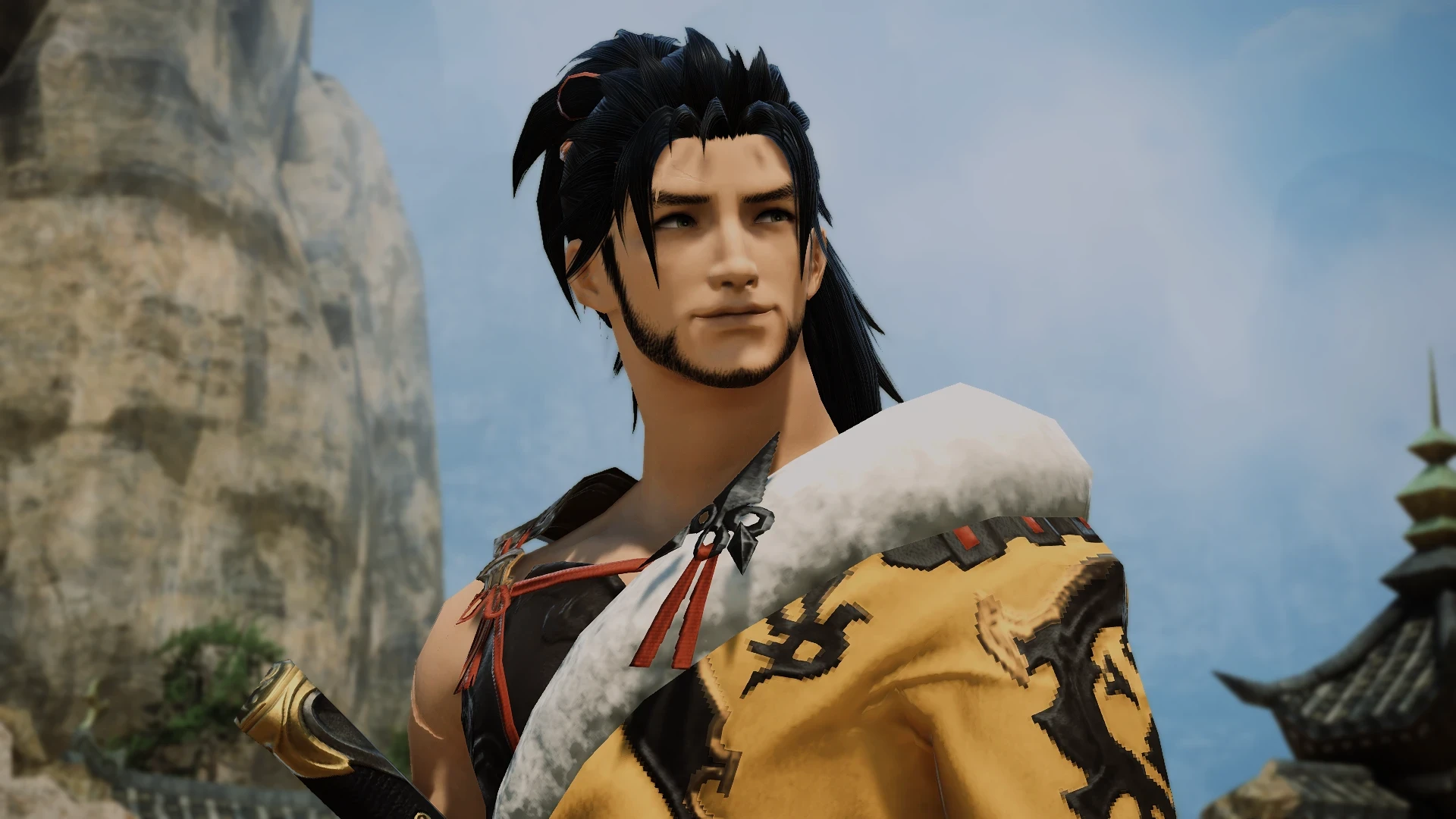
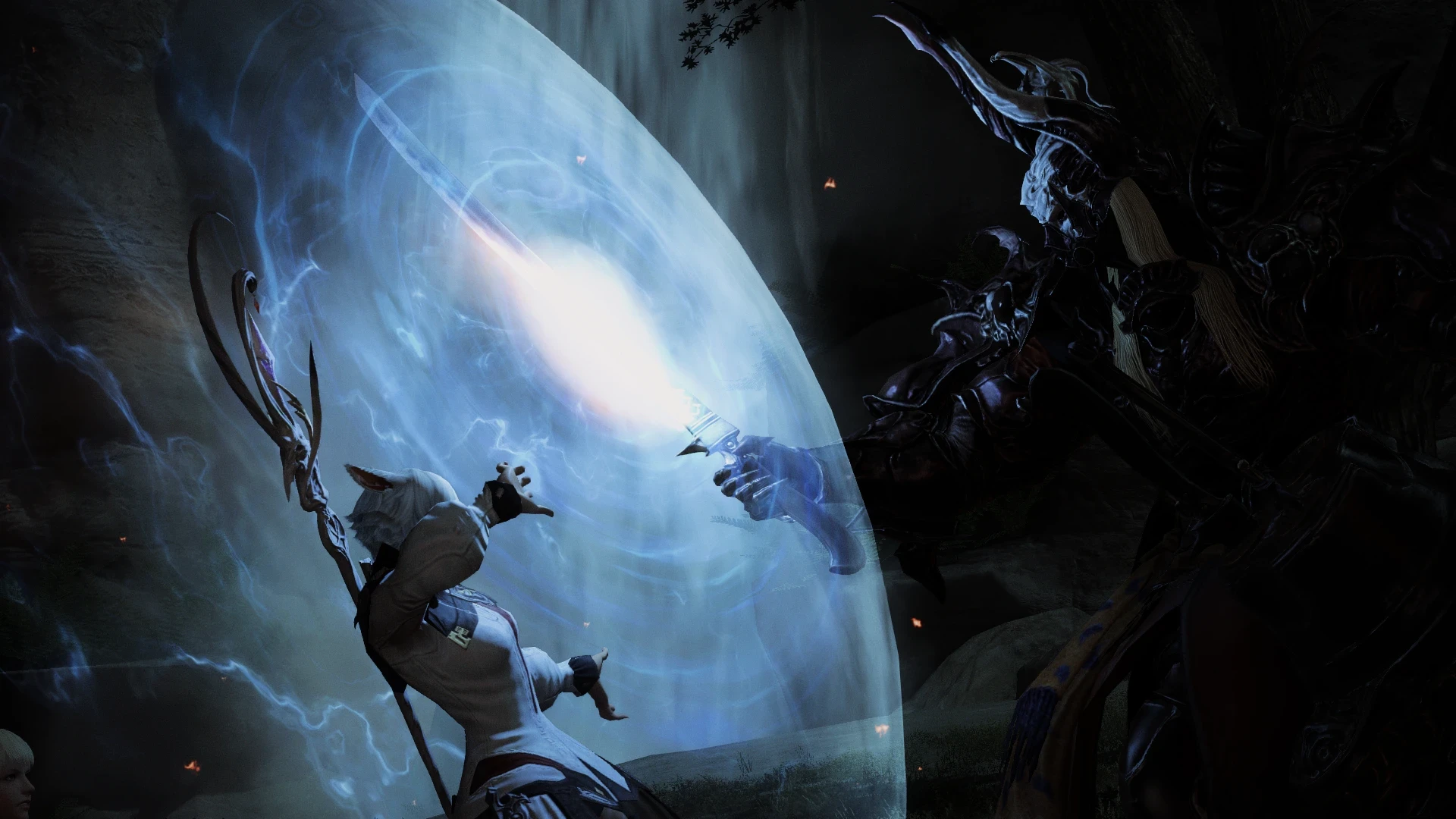
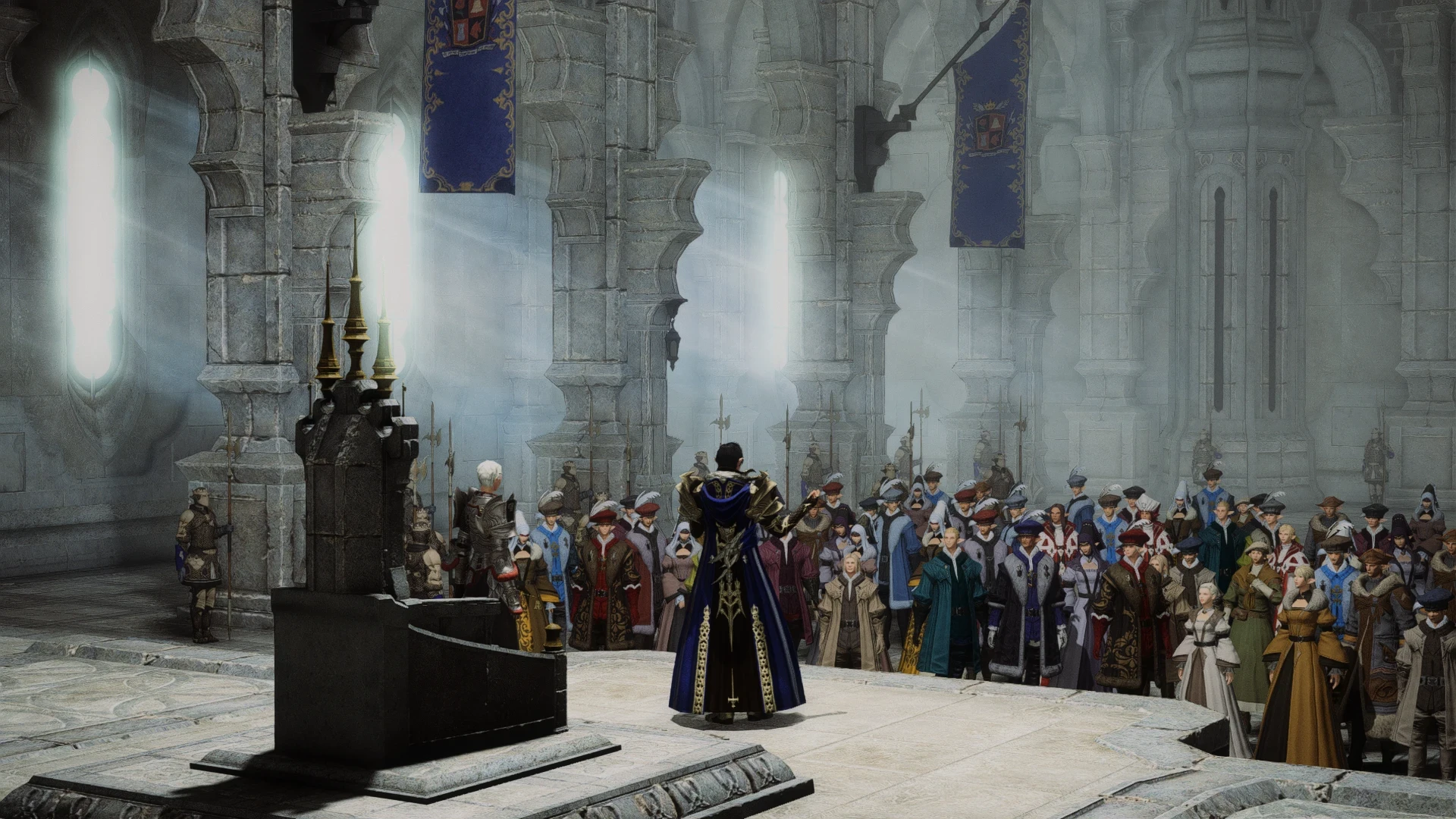
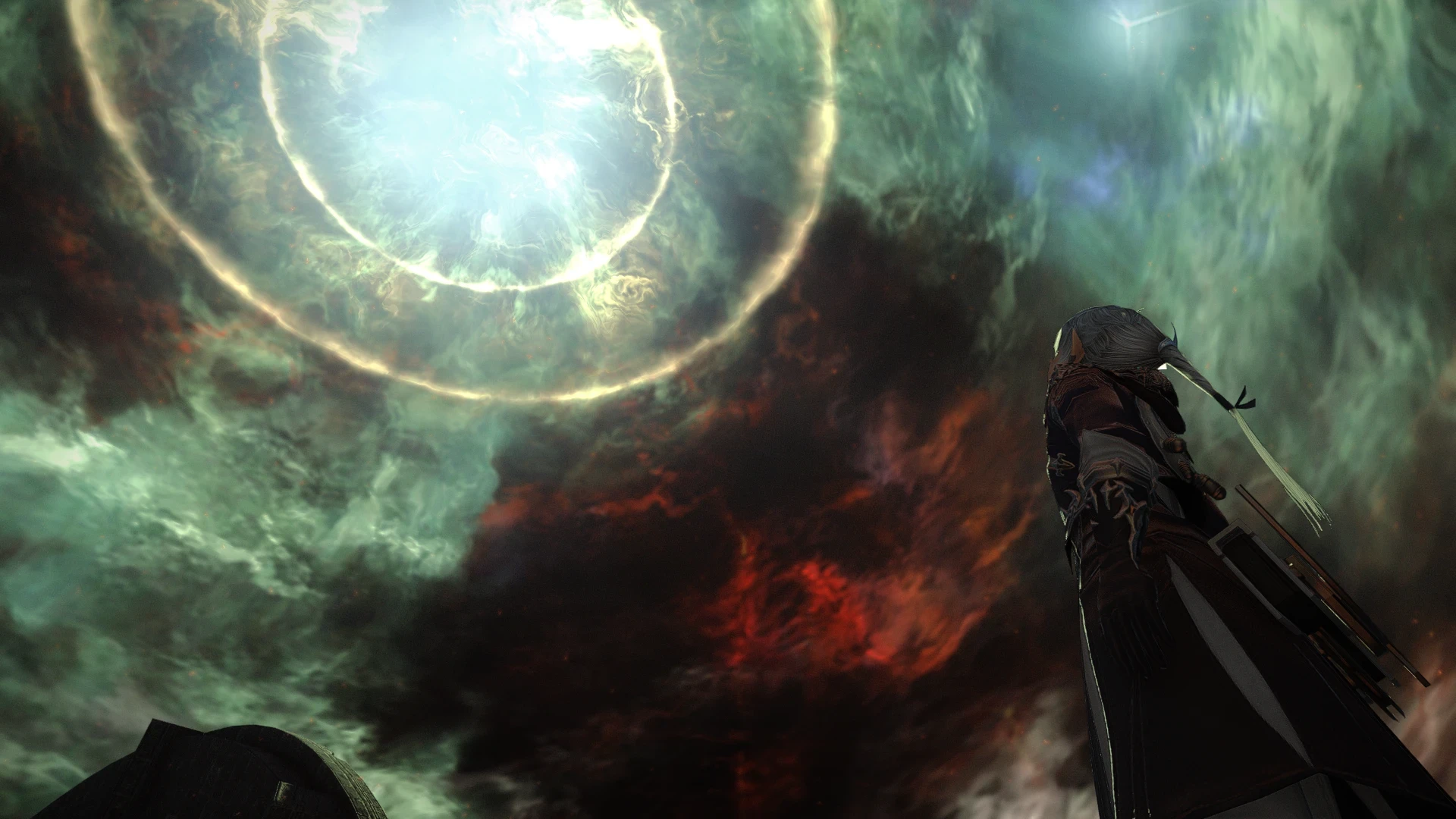
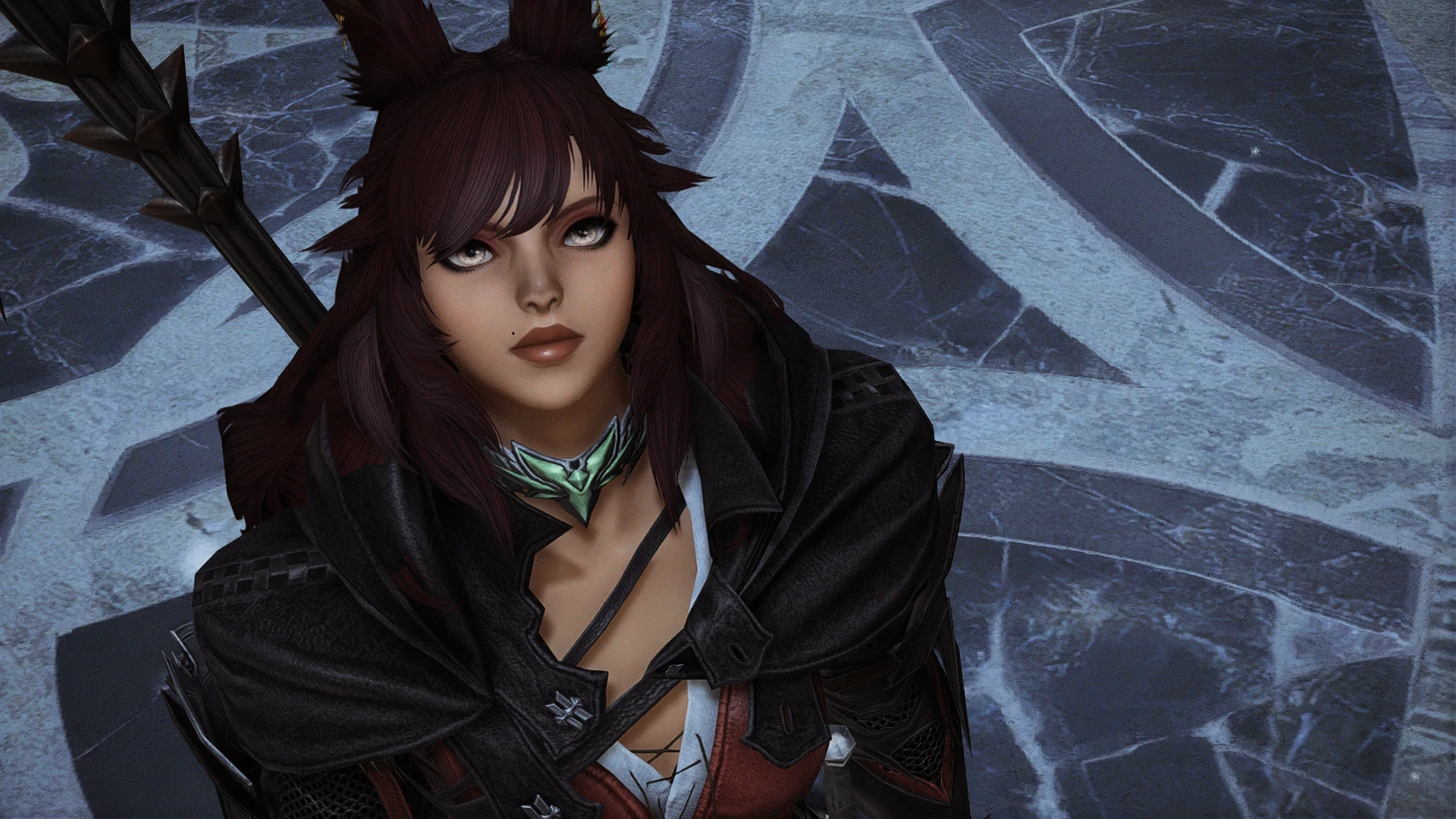
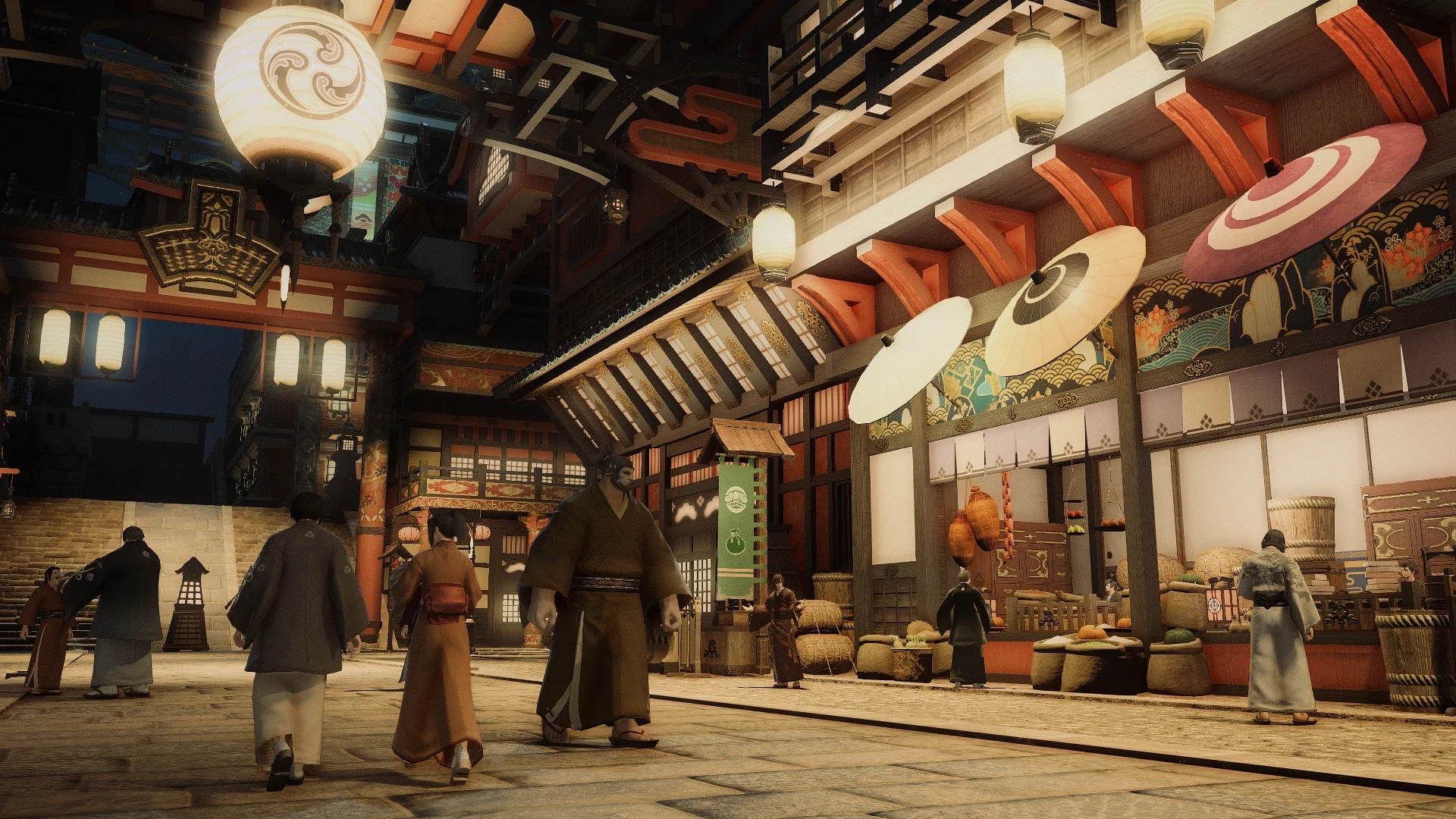
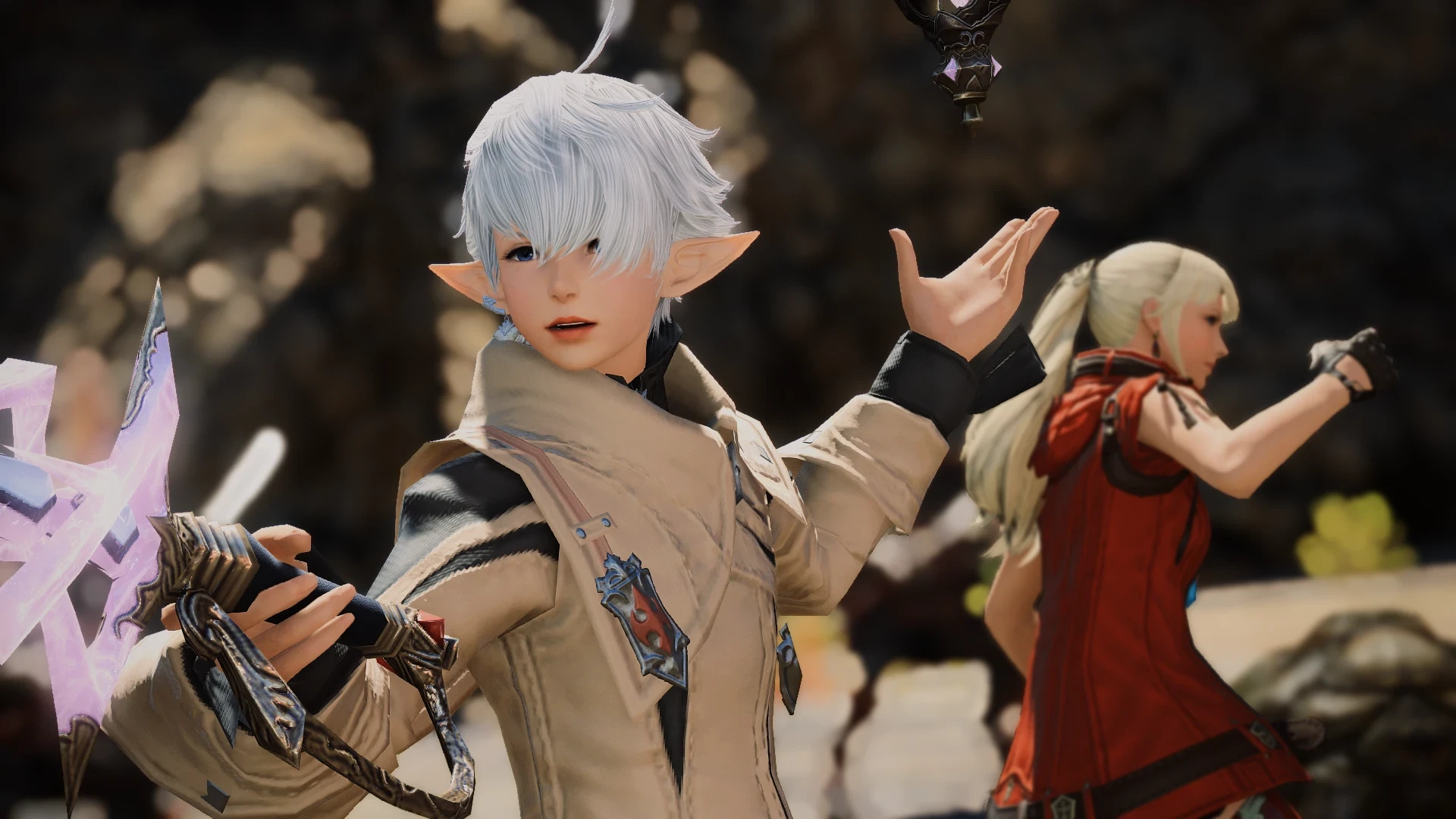
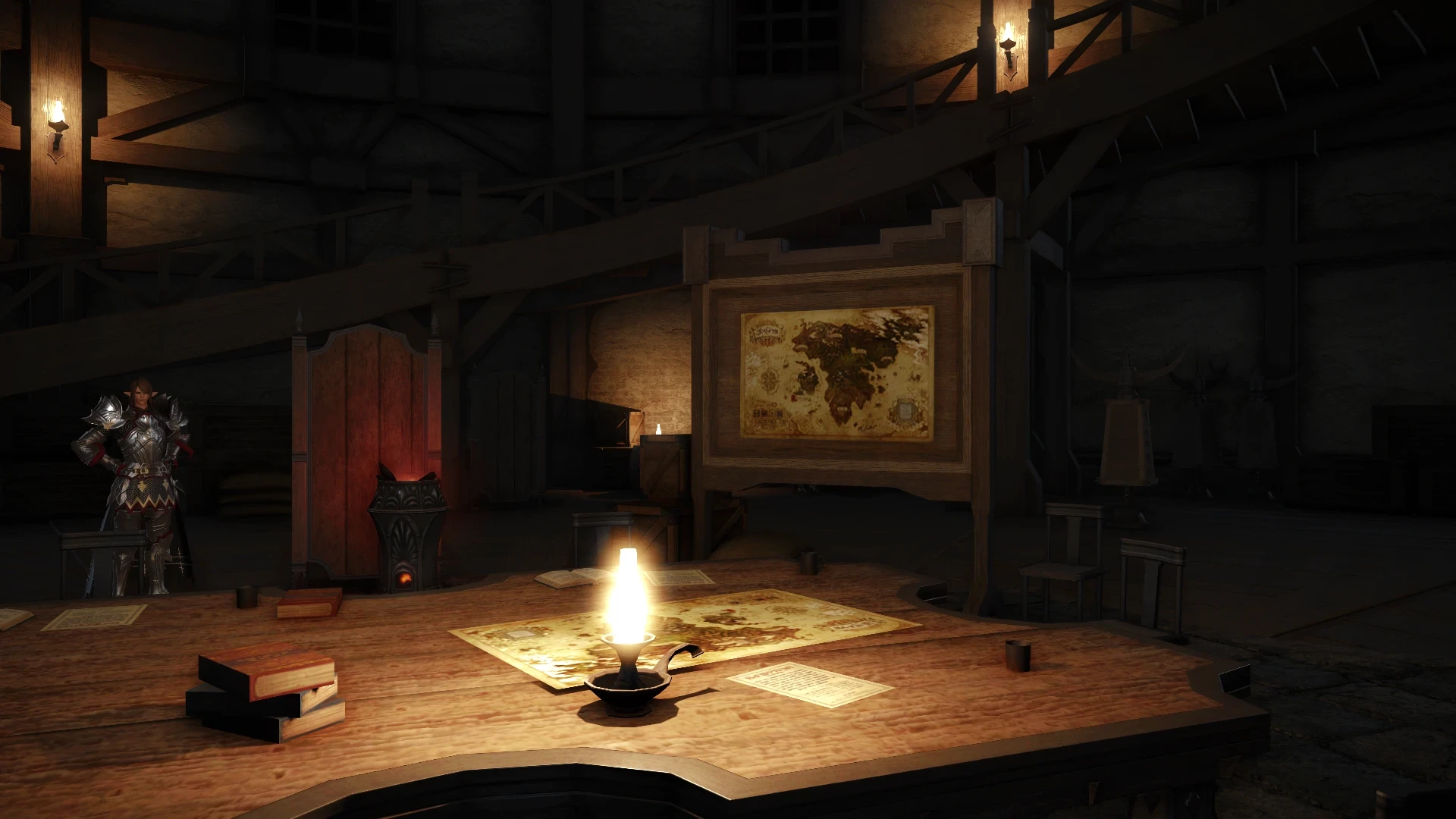
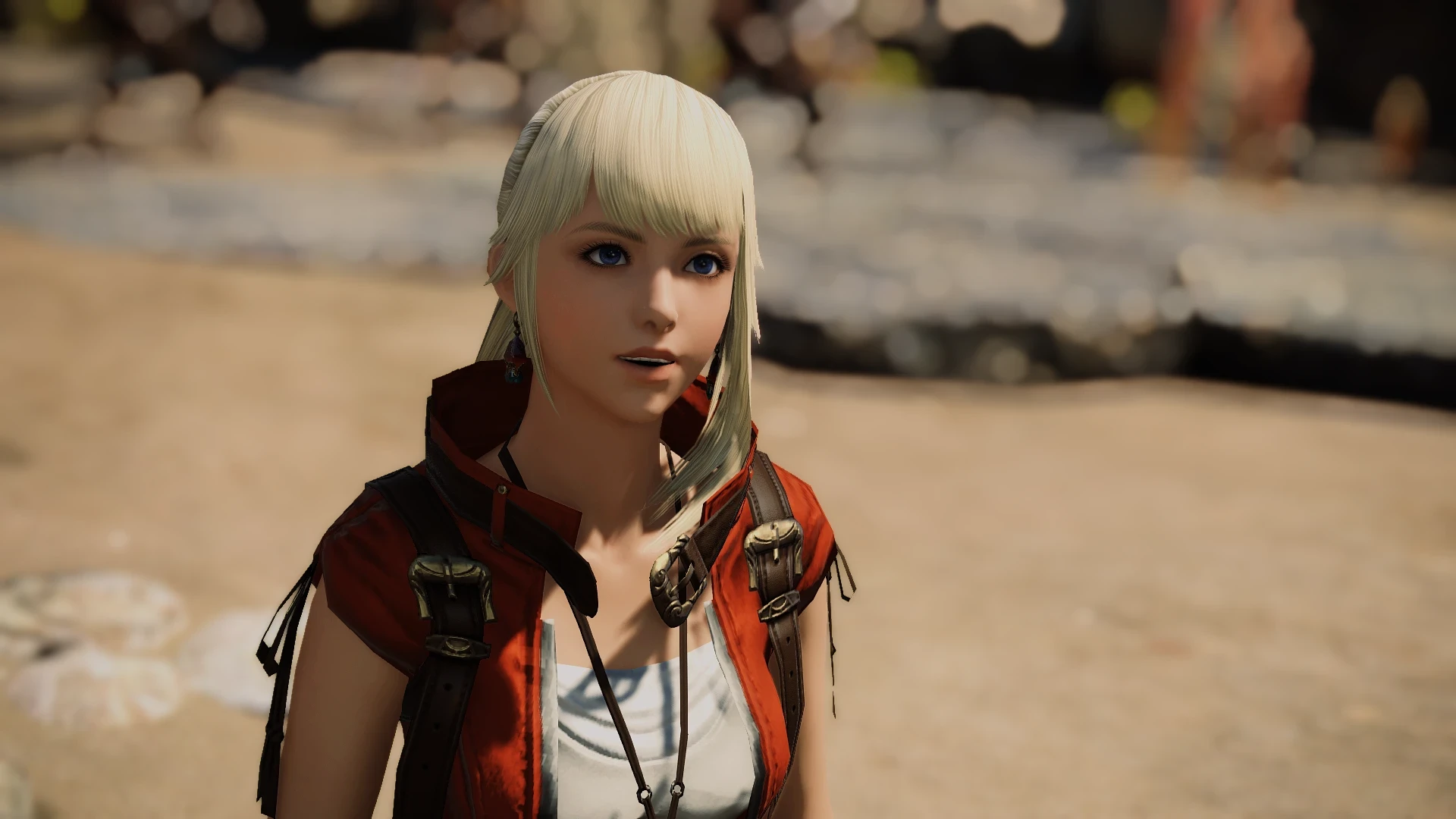
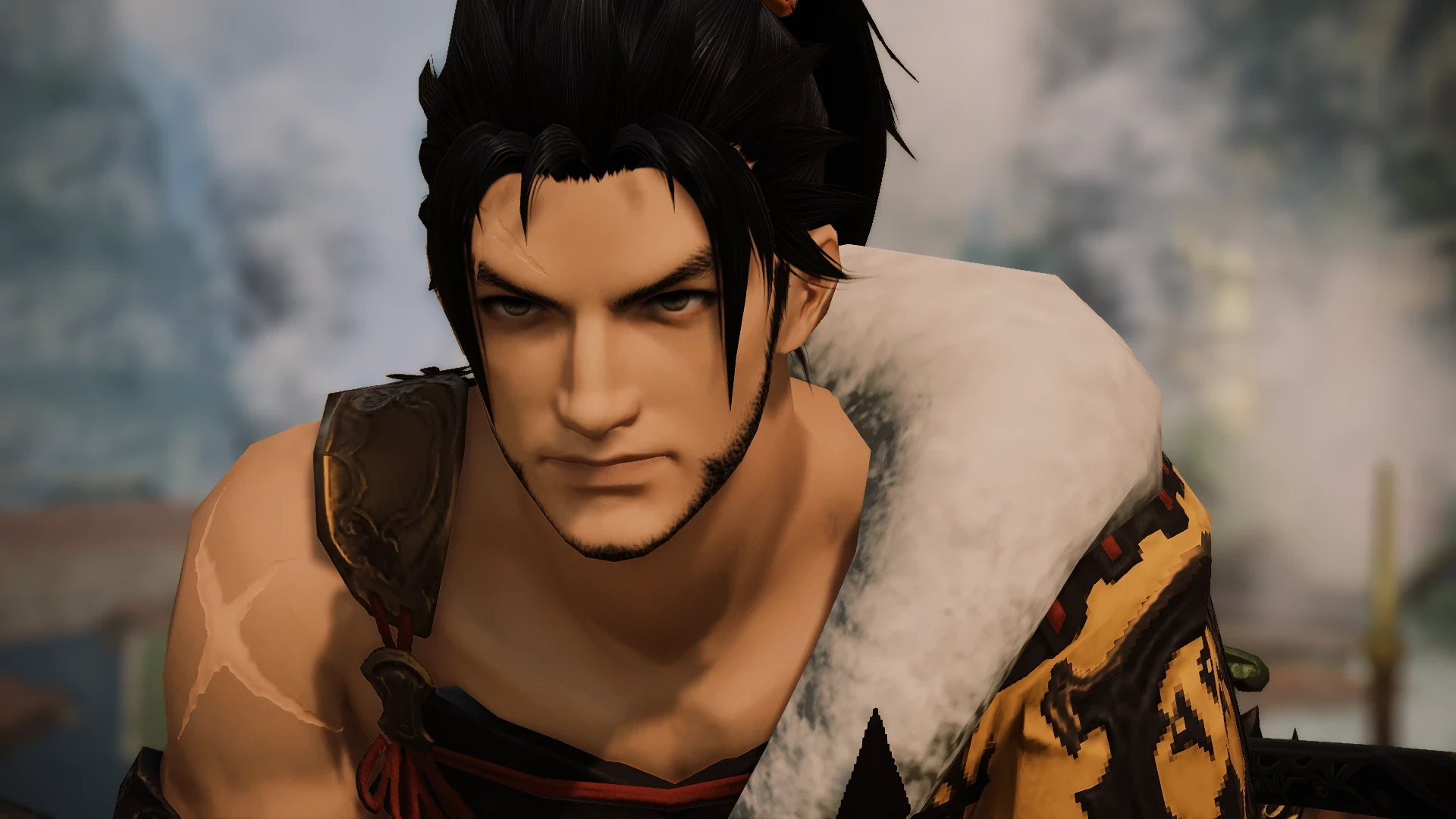
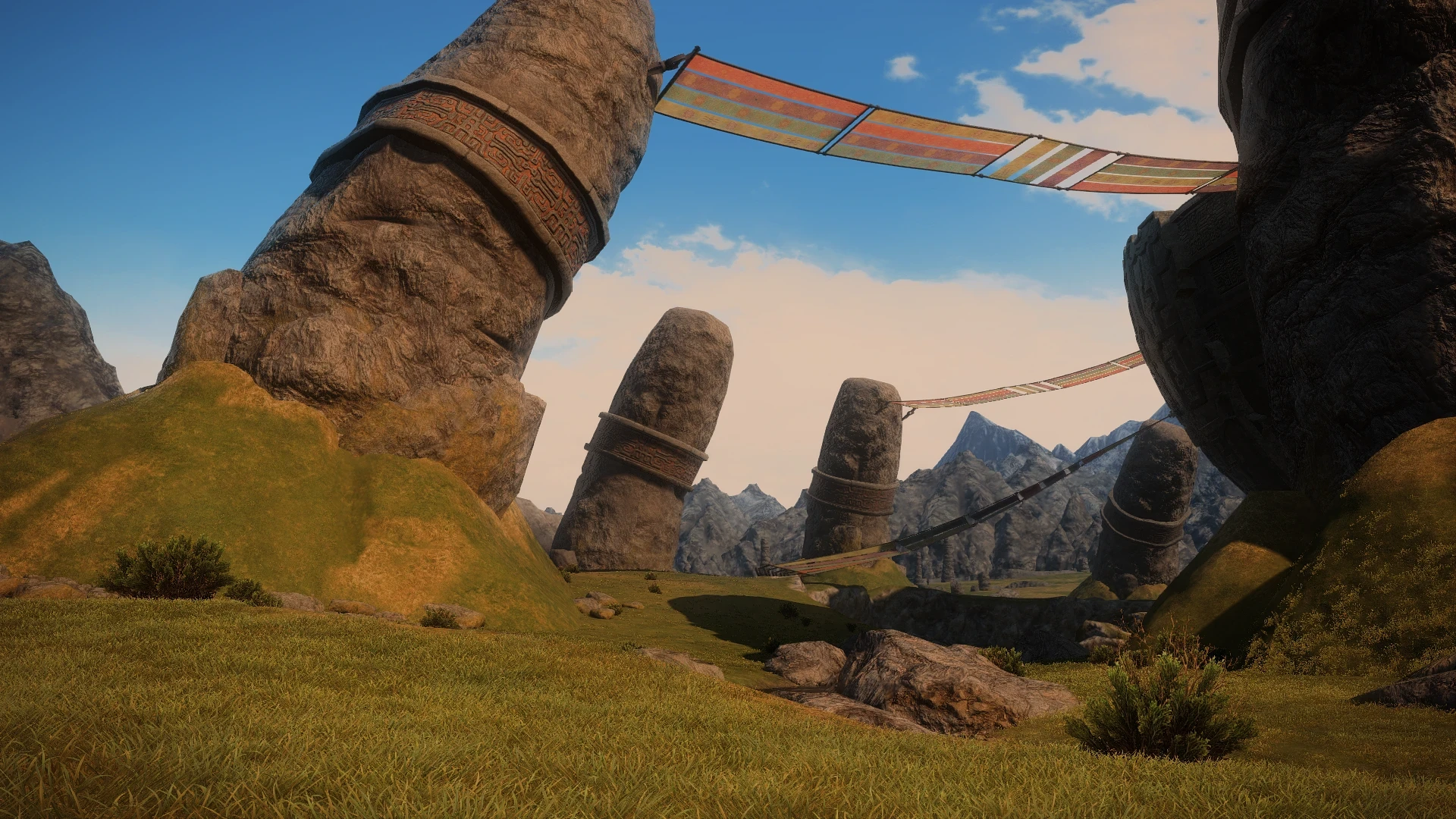
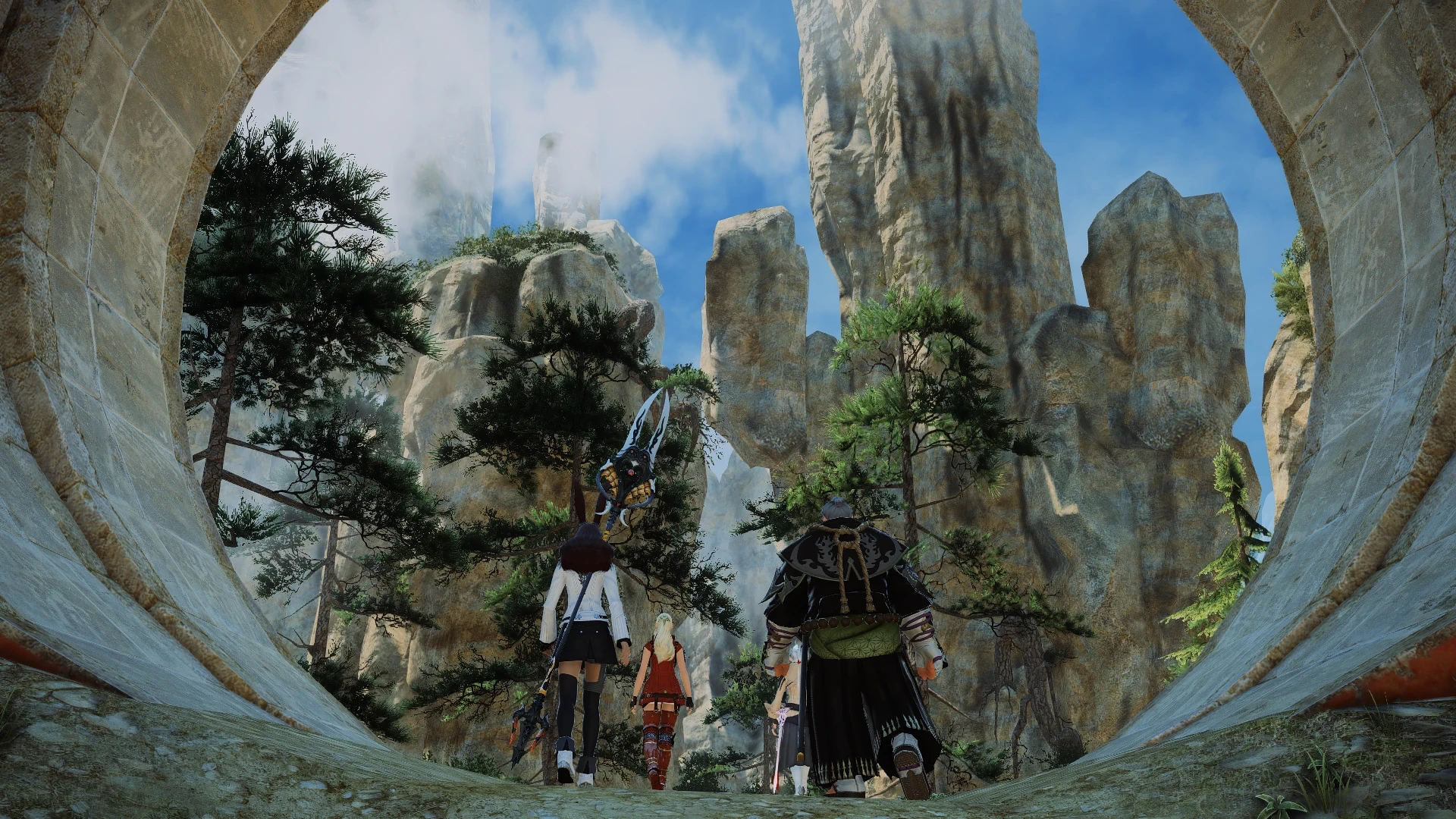
Since Q4 of 2023, I have worked on the development of a performance-friendly graphics shader for the 2011 massively multiplayer online role-playing game, Final Fantasy XIV - in which I have resumed the project and finalized for a university course.

Problem
Problem
Problem

The project initially started to make some "aesthetic alterations" to the original game. I began by identifying elements of the base game that I looked to enhance:

  • Desaturated

  • Not vibrant

  • “Consistently grey”

  • Outdated light/shadows


After outlining these elements, I drafted a "goal" plan to seek a resolution to each issue:

  • Colorize

  • Revamp lights/shadows

  • Smooth out object edges

  • Add “atmosphere”

  • Performance for gameplay

Solution
Solution
Solution

I utilized ReShade, a third-party, open-source injector that enhances the graphics and applies post-processing effects to games and applications. Given that most of the post-processing effects within ReShade are "film effects", I used my knowledge of film (one of my studies focuses) to create a cinematic-like tonality to the game while still retaining the look and feel of the original game.

I chose ReShade for the following reasons:

  • Filmic effects // It contains film-based effects that I easily apply to the game with my knowledge in VFX

  • Controllable levels // Every effect is adjustable and controllable in every aspect.

  • “Lightroom for Games” // The injector is essentially a "Lightroom for Games", making it the easiest alternative to injecting modernized graphics into an old game.

  • Uses 3D space instead of overlay // This injector uses DirectX to analyze the 3D space of the game environment to apply the effects appropriately instead of acting as an overlay mask. This allows for a significant amount of customizations.


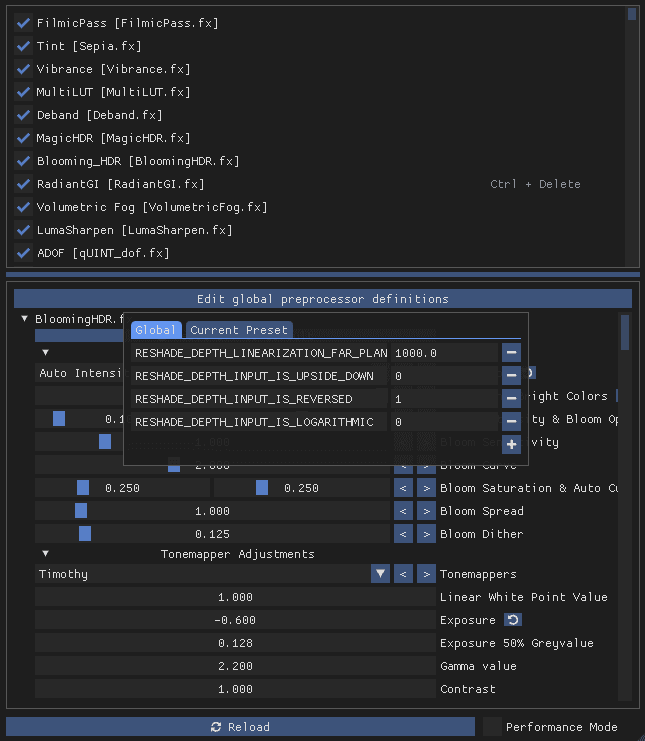
The ReShade effects I used are as follows:

  • Filmic Pass // Applies some common color adjustments to mimic a more cinema-like look

  • Tint // Added a “sepia” effect for warmth

  • Deband // Reduced color banding from other effects

  • MagicHDR // Applies Bloom and Tonemapping with fake HDR effect

  • Blooming HDR // Applies fake HDR with bloom

  • Radiant GI // Applies Global Illumination with Subsurface Scattering

  • Volumetric Fog // Simulates physical aspects of fog and adaptively changes its color to match the tone of the scene

  • LumaSharpen // Blurs the original pixel with the surrounding pixels and then subtracts blur to sharpen the image

  • ADOF // Applies an Advanced Depth of Field

  • Reversed Depth Input // Flips/reverses the Depth Buffer/z-buffer to represent depth information of objects in 3D space (used for the new 7.0 version of FFXIV)
Result
Result
Result
Code
Code
Code
/**
 * FilmicPass.fx
 *
 * Applies some common color adjustments to mimic a more cinema-like look.
 */


/**
 * Sepia.fx
 *
 * https://github.com/CeeJayDK/SweetFX/blob/master/Shaders/Sepia.fx
 *
 */

/**
  Vibrance.fx
  by Christian Cann Schuldt Jensen ~ CeeJay.dk
 
  Vibrance intelligently boosts the saturation of pixels so pixels that had little color get a larger boost than pixels that had a lot.
  This avoids oversaturation of pixels that were already very saturated.
 */

/**
 * MultiLUT.fx
 *
 * Multi-LUT shader, using a texture atlas with multiple LUTs 
   by Otis / Infuse Project.
   Based on Marty's LUT shader 1.0 for ReShade 3.0
   Copyright © 2008-2016 Marty McFly
 */


/**
 * Deband.fx
 *
 * Deband shader by haasn
 * https://github.com/haasn/gentoo-conf/blob/xor/home/nand/.mpv/shaders/deband-pre.glsl
 *
 * Copyright (c) 2015 Niklas Haas
 */

/**
 * MagicHDR.fx
 *
   #include "FXShaders/API.fxh"
   #include "FXShaders/Canvas.fxh"
   #include "FXShaders/Common.fxh"
   #include "FXShaders/Convolution.fxh"
   #include "FXShaders/Math.fxh"
   #include "FXShaders/Tonemap.fxh"
 */

/**
 * BloomingHDR.fx
 *
 * https://github.com/BlueSkyDefender/AstrayFX/blob/master/Shaders/BloomingHDR.fx
 *
 */

/**
 * RadiantGI.fx
 *
 * Radiant Global Illumination  +  Subsurface Scattering
 *
 * https://github.com/BlueSkyDefender/AstrayFX/blob/master/Shaders/RadiantGI.fx
 *
 */

/**
 * VolumetricFog.fx
 *
 * https://github.com/mj-ehsan/NiceGuy-Shaders/blob/main/Shaders/Volumetric%20Fog%20V2.0.fx
 *
 */

/**
 * LumaSharpen.fx
 * by Christian Cann Schuldt Jensen ~ CeeJay.dk
 *
 * It blurs the original pixel with the surrounding pixels and then subtracts this blur to sharpen the image.
 * It does this in luma to avoid color artifacts and allows limiting the maximum sharpning to avoid or lessen halo artifacts.
 * This is similar to using Unsharp Mask in Photoshop.
 */

/**
 * qUINT_dof.fx
 * by Marty McFly / P.Gilcher
 *
 * Advanced Depth of Field "ADoF"
 */

/**
 *
   Credits go to all the wonderful people who worked on ReShade, SweetFX, qUINT, and more!
 *
 */
/**
 * FilmicPass.fx
 *
 * Applies some common color adjustments to mimic a more cinema-like look.
 */


/**
 * Sepia.fx
 *
 * https://github.com/CeeJayDK/SweetFX/blob/master/Shaders/Sepia.fx
 *
 */

/**
  Vibrance.fx
  by Christian Cann Schuldt Jensen ~ CeeJay.dk
 
  Vibrance intelligently boosts the saturation of pixels so pixels that had little color get a larger boost than pixels that had a lot.
  This avoids oversaturation of pixels that were already very saturated.
 */

/**
 * MultiLUT.fx
 *
 * Multi-LUT shader, using a texture atlas with multiple LUTs 
   by Otis / Infuse Project.
   Based on Marty's LUT shader 1.0 for ReShade 3.0
   Copyright © 2008-2016 Marty McFly
 */


/**
 * Deband.fx
 *
 * Deband shader by haasn
 * https://github.com/haasn/gentoo-conf/blob/xor/home/nand/.mpv/shaders/deband-pre.glsl
 *
 * Copyright (c) 2015 Niklas Haas
 */

/**
 * MagicHDR.fx
 *
   #include "FXShaders/API.fxh"
   #include "FXShaders/Canvas.fxh"
   #include "FXShaders/Common.fxh"
   #include "FXShaders/Convolution.fxh"
   #include "FXShaders/Math.fxh"
   #include "FXShaders/Tonemap.fxh"
 */

/**
 * BloomingHDR.fx
 *
 * https://github.com/BlueSkyDefender/AstrayFX/blob/master/Shaders/BloomingHDR.fx
 *
 */

/**
 * RadiantGI.fx
 *
 * Radiant Global Illumination  +  Subsurface Scattering
 *
 * https://github.com/BlueSkyDefender/AstrayFX/blob/master/Shaders/RadiantGI.fx
 *
 */

/**
 * VolumetricFog.fx
 *
 * https://github.com/mj-ehsan/NiceGuy-Shaders/blob/main/Shaders/Volumetric%20Fog%20V2.0.fx
 *
 */

/**
 * LumaSharpen.fx
 * by Christian Cann Schuldt Jensen ~ CeeJay.dk
 *
 * It blurs the original pixel with the surrounding pixels and then subtracts this blur to sharpen the image.
 * It does this in luma to avoid color artifacts and allows limiting the maximum sharpning to avoid or lessen halo artifacts.
 * This is similar to using Unsharp Mask in Photoshop.
 */

/**
 * qUINT_dof.fx
 * by Marty McFly / P.Gilcher
 *
 * Advanced Depth of Field "ADoF"
 */

/**
 *
   Credits go to all the wonderful people who worked on ReShade, SweetFX, qUINT, and more!
 *
 */
/**
 * FilmicPass.fx
 *
 * Applies some common color adjustments to mimic a more cinema-like look.
 */


/**
 * Sepia.fx
 *
 * https://github.com/CeeJayDK/SweetFX/blob/master/Shaders/Sepia.fx
 *
 */

/**
  Vibrance.fx
  by Christian Cann Schuldt Jensen ~ CeeJay.dk
 
  Vibrance intelligently boosts the saturation of pixels so pixels that had little color get a larger boost than pixels that had a lot.
  This avoids oversaturation of pixels that were already very saturated.
 */

/**
 * MultiLUT.fx
 *
 * Multi-LUT shader, using a texture atlas with multiple LUTs 
   by Otis / Infuse Project.
   Based on Marty's LUT shader 1.0 for ReShade 3.0
   Copyright © 2008-2016 Marty McFly
 */


/**
 * Deband.fx
 *
 * Deband shader by haasn
 * https://github.com/haasn/gentoo-conf/blob/xor/home/nand/.mpv/shaders/deband-pre.glsl
 *
 * Copyright (c) 2015 Niklas Haas
 */

/**
 * MagicHDR.fx
 *
   #include "FXShaders/API.fxh"
   #include "FXShaders/Canvas.fxh"
   #include "FXShaders/Common.fxh"
   #include "FXShaders/Convolution.fxh"
   #include "FXShaders/Math.fxh"
   #include "FXShaders/Tonemap.fxh"
 */

/**
 * BloomingHDR.fx
 *
 * https://github.com/BlueSkyDefender/AstrayFX/blob/master/Shaders/BloomingHDR.fx
 *
 */

/**
 * RadiantGI.fx
 *
 * Radiant Global Illumination  +  Subsurface Scattering
 *
 * https://github.com/BlueSkyDefender/AstrayFX/blob/master/Shaders/RadiantGI.fx
 *
 */

/**
 * VolumetricFog.fx
 *
 * https://github.com/mj-ehsan/NiceGuy-Shaders/blob/main/Shaders/Volumetric%20Fog%20V2.0.fx
 *
 */

/**
 * LumaSharpen.fx
 * by Christian Cann Schuldt Jensen ~ CeeJay.dk
 *
 * It blurs the original pixel with the surrounding pixels and then subtracts this blur to sharpen the image.
 * It does this in luma to avoid color artifacts and allows limiting the maximum sharpning to avoid or lessen halo artifacts.
 * This is similar to using Unsharp Mask in Photoshop.
 */

/**
 * qUINT_dof.fx
 * by Marty McFly / P.Gilcher
 *
 * Advanced Depth of Field "ADoF"
 */

/**
 *
   Credits go to all the wonderful people who worked on ReShade, SweetFX, qUINT, and more!
 *
 */
Gallery showcase
Gallery showcase
Gallery showcase